
Works with the inboxes you already have
 Gmail
 OutlookSoon
 iCloud
 Yahoo
 Yandex
 Zoho
- Any IMAP
Every inbox in.
One calm list out.
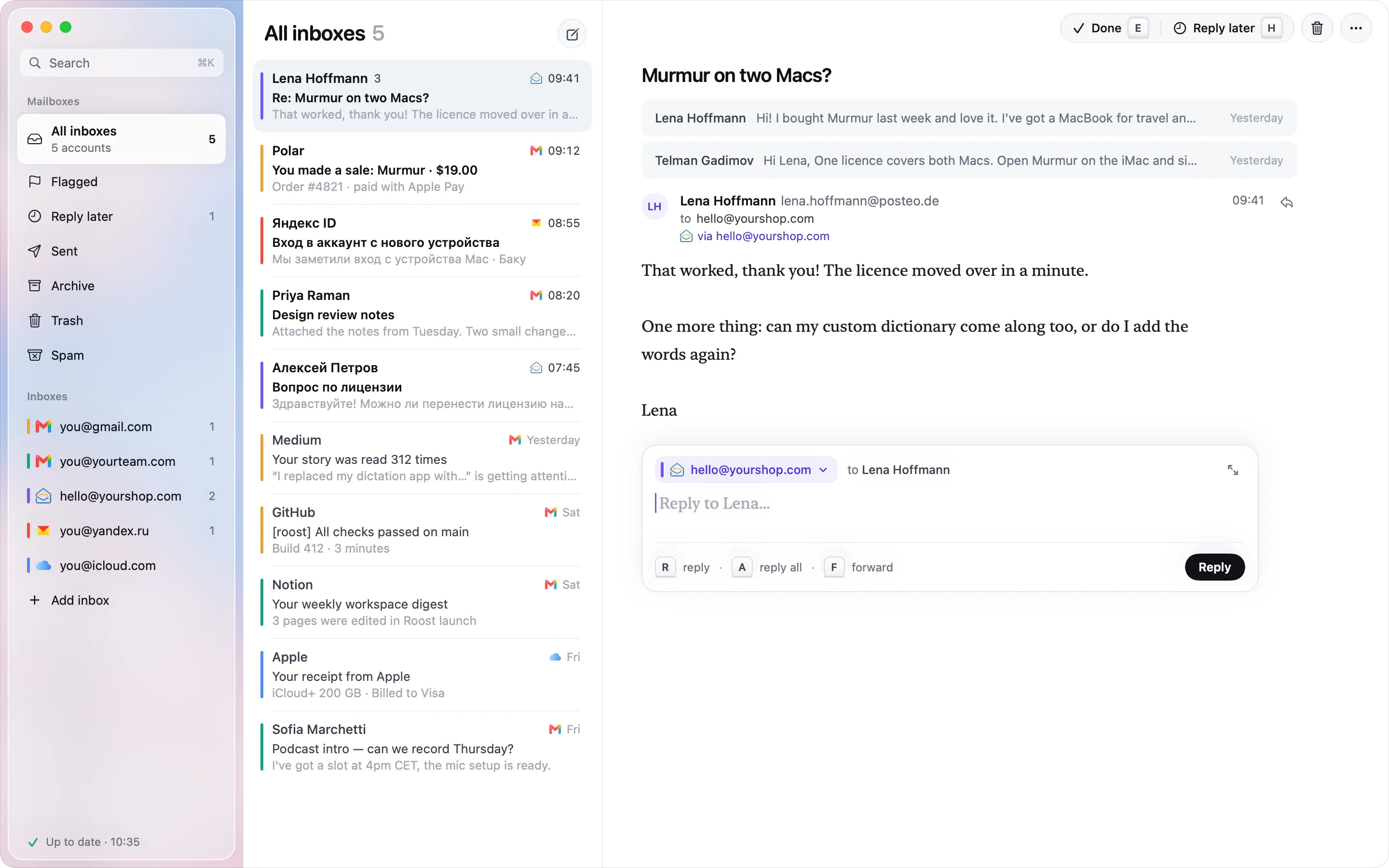
Roost signs in to each account once and keeps one list, newest first. The colour line tells you which inbox a letter came to.
GmailGmail & Workspace5iCloudiCloud Mail3YahooYahoo & AOL2ZohoZoho Mail2YandexYandex Mail1every inbox

The code drops out
of the notch.
When a sign-in code lands in any of your inboxes, it shows up at the top of the screen with a copy button. Click it and paste the code where you were. Roost stays in the background. On a Mac without a notch, it comes down from the top edge.
Reply from the inbox
it came to.
Roost picks the From address for you and shows it in that inbox’s colour, so a customer never gets a reply from your personal Gmail.
Find any letter
before you finish typing.
Every inbox is searched at once, on your Mac, with no wait for a server. Russian and accented words match too.
Five seconds to
change your mind.
Send, archive or delete and Roost waits five seconds before it tells the server. Press ⌘Z and it never happened. On a plane? It all waits in the outbox and goes when you land.
Light and dark,
like your Mac.
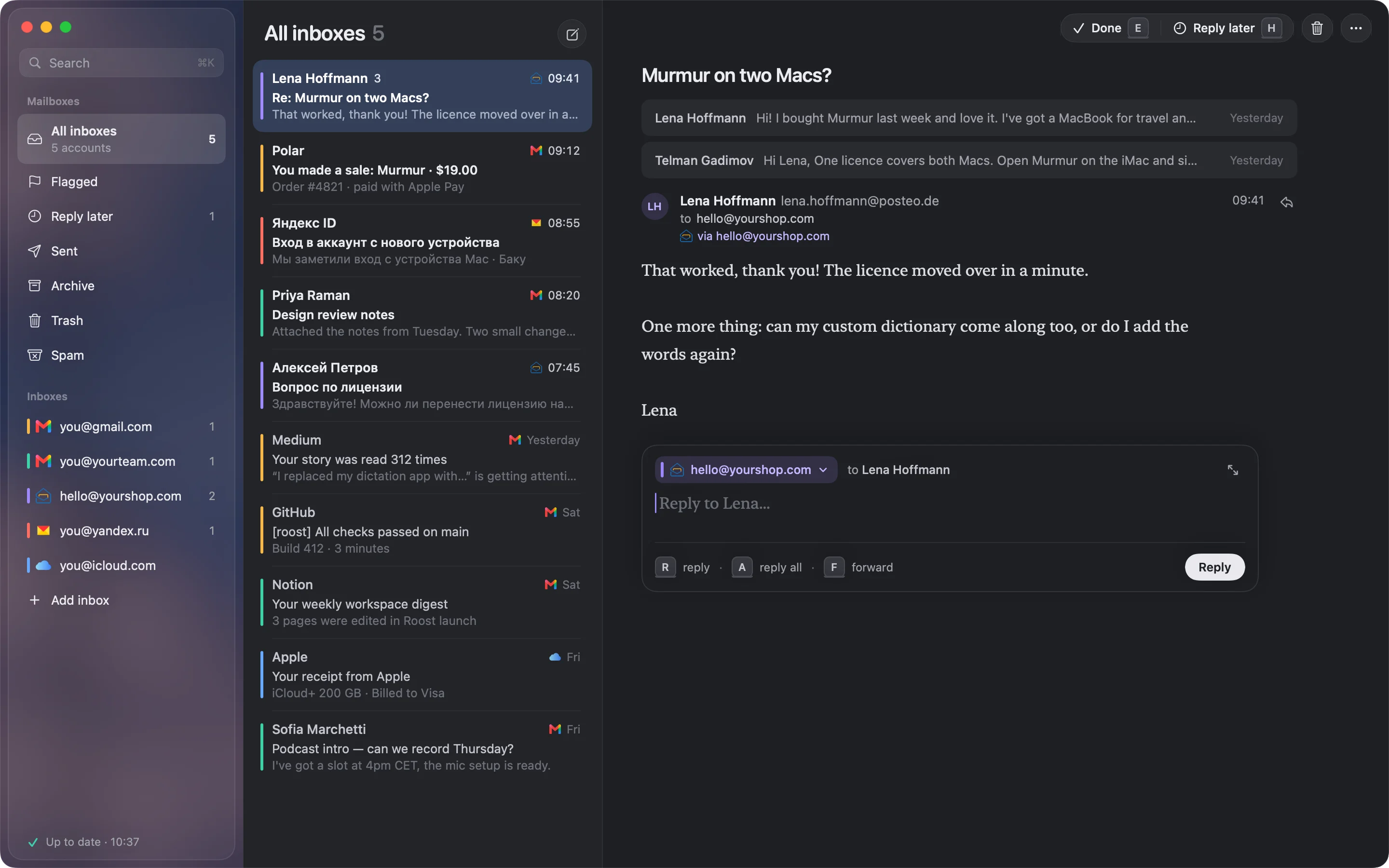
Roost follows your Mac. A blue sky by day, dusk after sunset, and the same window in both.
Hands on the keys
Your whole morning
in a few keystrokes.
Triage
Write
Get around
Mail stays
on your Mac.
Roost has no server. It talks to Google, Apple, Yandex and the rest directly, the same way Apple Mail does. There is no Roost account to make.
- Passwords and sign-ins live in your Keychain
- Search runs on the Mac
- Remote images stay off until you load them
Buy it once.
It’s yours.
No subscription and no account. $29 for the first 100 people, then $49. A year of updates is included, and the app keeps working after that.
Questions
Does my mail go through your servers?
No. There are no Roost servers. The app connects straight to Gmail, iCloud and the others, and keeps your mail in a folder on your Mac. Every server Roost talks to is listed, with how to check it yourself.
Which accounts work?
Gmail and Google Workspace, iCloud, Yahoo, AOL, Yandex, Zoho, and any other address with IMAP. Type the address and Roost finds the server settings. Outlook and Microsoft 365 need Microsoft sign-in, which comes in an update.
How do I sign in to Gmail?
With an app password. Google only offers those once 2-Step Verification is on; Roost links to the page where you make one, and keeps it in your Keychain. iCloud, Yahoo and Yandex work the same way. Roost never asks for your Google password.
Does it work offline?
Yes. The mail you’ve synced is on your Mac, so you can read and search it anywhere. Replies, archives and deletes wait in the outbox and go out when you’re back online.
What’s in the free trial?
Everything, for 14 days. No card and no account. Your mail stays on your Mac whether you buy or not.
Is the launch price real?
Yes. The first 100 copies are $29, then $49. The count on this page comes from our checkout (Polar) and updates within a minute of each sale. When it reaches zero the page shows $49, and so does the checkout.
What happens after the first year?
Roost keeps working. Your licence includes every update released in your first year, and the app doesn’t stop when that year ends.